
 Desktop Version

Free Online Audio Downloader
Convert and download audio from any link instantly
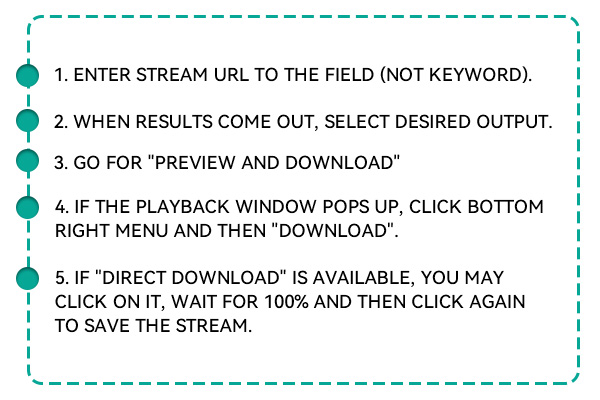



Save audio tracks from popular music and video platforms.
This free audio online downloader lets you extract and download audio files from your favorite online sources in just a few clicks. Whether you're saving music, podcasts, or sound from a video, the tool supports platforms like YouTube, TikTok, Instagram, Facebook, Vimeo, and more. It's fast, easy, and free; no registration or installation is needed.
How to Download Audio Online?
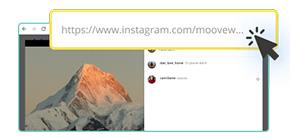
Open the video or audio source on platforms like YouTube or TikTok, copy the full URL from the address bar, or share the link.
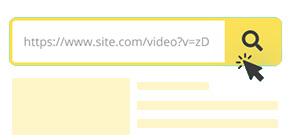
Copy and paste the URL into the search box at the top of the page. Click the convert or start button. The free online audio downloader will fetch the media file and extract audio formats that are available for download.
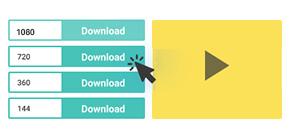
Select your preferred format (MP3 or M4A) and audio quality. Click "Download" to save the file directly to your device.
Key Features of the Online Audio Downloader

Free and Unlimited Downloads
Enjoy unlimited conversions and downloads at no cost. This tool gives you full access to all its features without requiring payment or account creation.

No Installation Required
There's no need to install any apps, plugins, or software. The entire process works right in your browser, making it accessible and lightweight for any device.

Works on All Devices and Browsers
It's compatible with all operating systems - Windows, macOS, iOS, Android—and works seamlessly on Chrome, Firefox, Safari, Edge, and Opera.
Supports downloading from embedded and private links
You aren't restricted to public videos - this tool can download any Vimeo video, public or private, and send it with access. So, gathering videos from blogs, class sites, or your channels is now simple.

Use Smart Search for Quick and Correct Answers
The downloader uses smart search to find and show your keywords' most appropriate video results. The filtering process will spare your time and help you find content that's important more easily.

Save Audio Content with Minimal Effort
The Online Audio Downloader is designed for anyone who wants to extract high-quality audio from online content quickly and without hassle. Whether you're capturing a music track, podcast, speech, or background audio from a video, this tool streamlines the process. It supports links from YouTube, Facebook, Instagram, TikTok, Vimeo, and SoundCloud. You simply paste the link and choose your audio format. The downloader handles the rest - no waiting, ads, or complications. Perfect for offline listening on any device, anytime.
FAQs
Yes. This tool supports YouTube and lets you extract the audio portion of any public video. You can download it as MP3 or M4A in different bitrates for the best sound experience.
No. The entire process happens in your browser. You don't need to download or install apps, plugins, or extensions. It's a web-based service for instant access.
Absolutely. There are no fees, subscriptions, or limits. You can use the tool as often as needed without spending a single cent or creating an account.
You can choose from various audio qualities, including 128kbps, 192kbps, and 320kbps. Depending on your preferences, the tool gives you control over the file size and audio clarity.
Yes, it works flawlessly on all modern smartphones and tablets. Whether you're using Android or iOS, you can access the downloader via your mobile browser and save audio directly.
$19.95$9.95$49.95$19.95$69.95$39.95