
 Desktop Version

Free Online Link to MP3 Converter
Convert any link to MP3 free and online with our service.
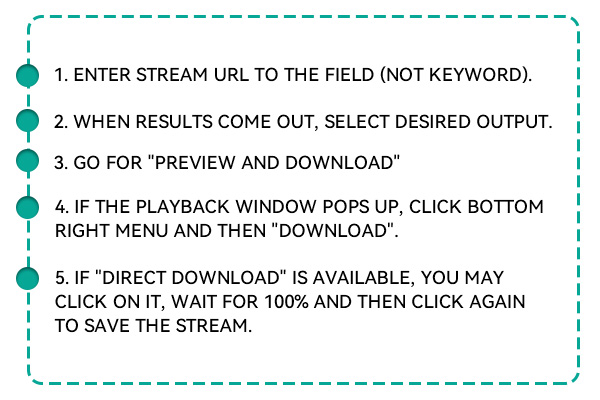



Download MP3 Audio from a URL
With the online link to the MP3 converter, you can download audio files from various online platforms by simply pasting the video or audio link. The service is designed to be fast and efficient; it requires no software downloads or installations. Enjoy a diverse music collection for offline listening!
How to Download Audio From a Link?
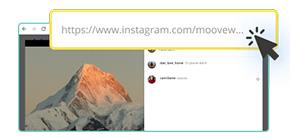
Access the website where you want to download MP3 audio and copy the link.
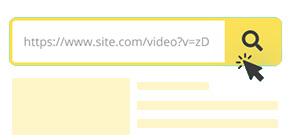
Paste the copied music link to the online link to the MP3 converter's input box.
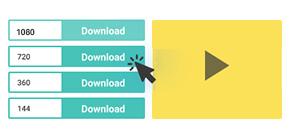
Select the MP3 format and hit the "Download MP3" icon beside it to save it on your device.
Key Features of the Online Link to MP3 Converter

Fast Link Conversion
It turns any video or audio link into an MP3 file in seconds. You don't need to wait long—just paste the link and get your MP3 fast.

Free to Use
There are no hidden costs or subscription fees and it does not collect any user data, so your downloads are private and protected.

User-Friendly Interface
Just paste the link, click convert, and download your file in seconds. It keeps things simple so you can focus on enjoying your music.
Convert URL to MP3 with Superior Sound Quality
This free link to MP3 converter lets you pick the sound quality you want. You can choose from options like 128kbps, 192kbps, or 256kbps. Higher kbps means better sound for your music or audio files. This makes your listening experience clearer and more enjoyable. Whether you're using it for songs, podcasts, or videos, this MP3 converter gives you great results.

Download Link to MP3 from Various Sites
This online URL MP3 converter works with many websites like Spotify, SoundCloud, Vimeo, Audiomack and more. You can convert both video and audio links from different platforms. Just copy the link and let the tool handle the rest. It's perfect if you use different sources to find your music. With this MP3 converter, you can enjoy content from almost anywhere online.
Conveniently Convert Links to MP3
With just one click, this free link to MP3 converter allows users to turn online video or audio content into high-quality MP3 files. It maintains the original sound quality for a smooth and enjoyable listening experience. In addition to MP3, it also supports formats like WAV, FLAC, and OGG, making it compatible with many media players. The online MP3 converter is safe to use and secures the download process, protecting your device from malware or unwanted threats during file conversion.
FAQs
Yes, our link to MP3 converter preserves the original audio quality as much as possible. You can also manually set the output format to choose between balance or lossless compression. This ensures a pleasant listening experience even after conversion.
Yes, our online link to MP3 converter supports previewing the video or audio before conversion. This feature helps you confirm that you’ve selected the correct track or clip. It ensures you only download the exact audio you want.
Your link might be broken, private, or from an unsupported website. Make sure you copied the full, correct URL and that it leads to publicly available content. Some converters only work with specific platforms, so unsupported links may not process. If the issue continues, try refreshing the page or testing a different link to see if it works.
Yes, you should only convert and download content that you own or have permission to use. Downloading copyrighted material without consent may violate local laws. Always check the rights before using the MP3 converter.
Yes, once the track is downloaded, MP3 files can be disseminated via email, messaging apps, or cloud storage. However, make sure you’re not violating copyright rules when sharing. It’s best to share non-restricted or personal content.
Yes, once you download the MP3, you can use it in video editors or for background audio. Just be sure the content is royalty-free, or you have the right to use it. This tool is perfect for creators who need quick audio extractions.
$19.95$9.95$49.95$19.95$69.95$39.95