
 Desktop Version

Free URL to MP4 Converter
Turn any video link into a downloadable MP4 file


Convert and download videos from the most popular content-sharing platforms with just a link.
This powerful online tool instantly converts video URLs into downloadable MP4 format. Whether it's a clip from YouTube, TikTok, Facebook, Vimeo, or other platforms, you can save it in high-quality MP4 to your device in seconds. No registration is needed, and no cost is involved—just fast and free video downloads.
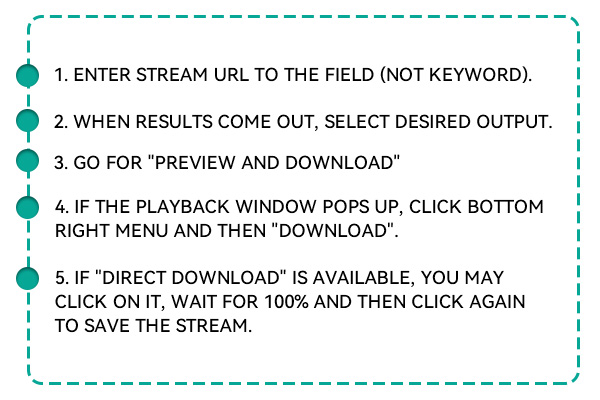
How to Convert Link to MP4 Video Online for Free?
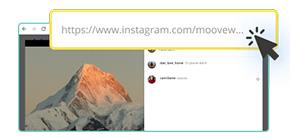
The first thing to do is go to the website that has the video, such as YouTube, TikTok, or Facebook. Find the URL in the address bar at the top and copy that entire link.
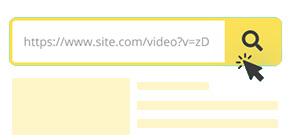
Paste the copied link into the input field on the homepage. Click the "Search" button next to the input box. The tool starts by processing the link, downloading video information, and providing you with MP4 download options.
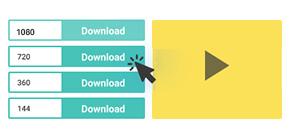
When the processing is done, the video will show a selection of quality settings. Pick your resolution and hit the "Download MP4" button to keep the file on your device.
Key Features of the URL to MP4 Converter

Secure and Private Video Downloads
Your privacy matters. This tool ensures that encrypted connections handle every video you download securely. No data is stored or tracked; no login is required - just safe, private downloads.

Streamlined, One-by-One Downloading
The converter handles one download at a time to guarantee performance and reliability. This helps avoid system overloads and ensures that every MP4 file is processed with maximum quality and stability.

No Ads, No Malware
Enjoy a clean downloading experience with zero pop-ups, banners, or deceptive download buttons. Our platform is free from ad clutter and malware risks so that you can download safely and confidently.
Simple, Safe, and Available Whenever Needed
The MP4 converter was made to help users by being easy and simple. Registration is unnecessary, and you won't have to install any software. A clean-looking screen and protected connection let everyone paste a link and get the video immediately. There's nothing tricky or unsafe about it, and it operates the same way on any device you use.
Save High-Quality Videos as MP4 Files
If you want to preview quickly, opt for small 360p videos. If you like your videos in full detail, go for 4K or even 8K. The converter lets you select from different video quality notes and produces smooth, high-resolution MP4 files that can be used with any major player or device.
A User-Friendly Link MP4 Converter Open to All
You never need to sign up or install anything; you can start immediately. This tool was made directly for convenience: launch it in your browser, enter the video's URL, and click to download. Because it operates so smoothly, it is the best choice for individuals wanting easy and quick action without any restrictions. Suppose you save videos for watching on the go, using them in presentations, or archiving them. In that case, you can use any resolution that best suits your needs. Every video, from basic to detailed, is offered as an MP4 file for easy playback on devices.
FAQs
Yes, this tool is 100% free for all users. You can convert and download as many videos as you like without paying a fee, signing up, or installing any software. It's a completely cost-free solution for everyday video-saving needs.
No, there are no daily or monthly download limits. You can use the tool as often as needed to convert links to MP4. It's designed to offer unlimited access so users can freely save videos without restrictions.
Not at all. You don't need to register, log in, or provide an email address. The tool works instantly—paste a video URL and download it. It's designed to be quick, private, and hassle-free.
Downloading videos for personal, offline use is generally allowed, especially for publicly available content. However, users should respect copyright laws and avoid saving or distributing copyrighted materials without permission.
Yes, the tool is mobile-friendly and works perfectly on all devices. Whether you're using Android, iOS, or a desktop browser, you'll have the same seamless experience and functionality.
Absolutely. Depending on the original video, you can select from multiple quality options, including SD, HD, Full HD, and even 4K. This ensures you always get the resolution that fits your viewing preferences.
$19.95$9.95$49.95$19.95$69.95$39.95